


Whether you’re planning to handle SEO in-house or outsource it to an agency, knowing what SEO tools exist and how they compare helps you invest your time and budget wisely.
To help you with that, we’ve compiled a list of the best Fintech SEO tools you can use to improve and measure your search visibility.
TL;DR
- Fintech SEO demands tools that can find new opportunities and spot ranking changes before your competitors do.
- A strong stack includes research (Ahrefs, Semrush, GKP, Ubersuggest, AnswerThePublic), technical (Screaming Frog, Google Search Console), and analytics tools (GA4, BrightLocal).
- Track conversions, keywords, and backlinks. Traffic alone tells you very little.
Ahrefs
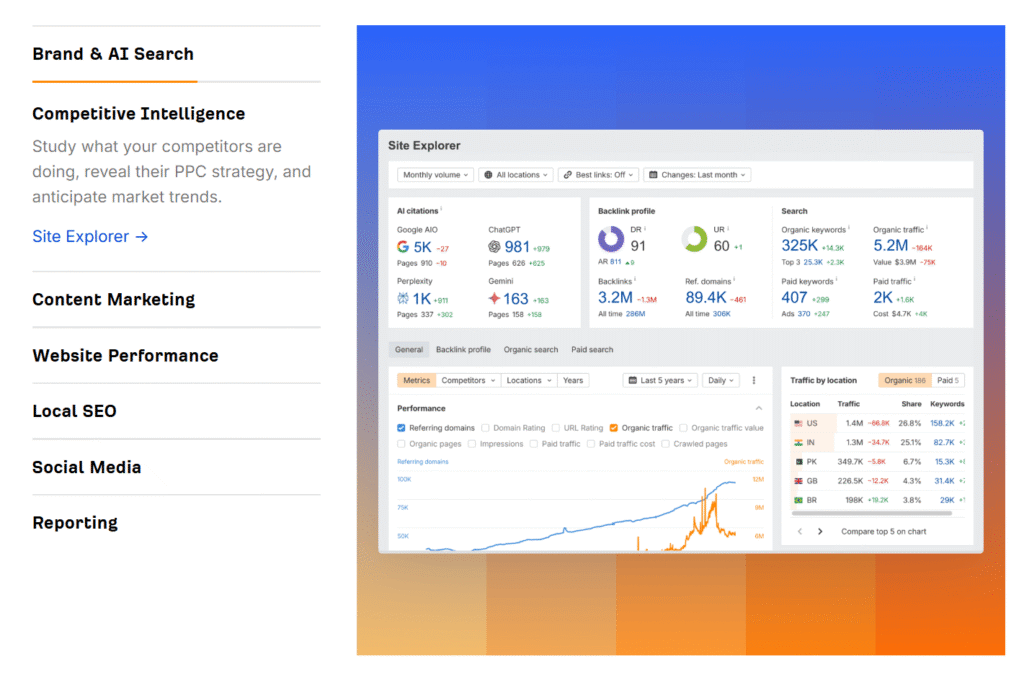
Ahrefs is one of the most popular all-in-one SEO tools available. It shows your full backlink profile, including which domains link to you, their authority, and the progress over time.
Ahrefs’ keyword research features help you identify what your audience is searching for, where competitors are ranking, and what keyword gaps to target.
For topical authority, Content Explorer shows what already ranks well in your niche, and Site Audit finds the thin or duplicate content that’s pulling your scores down.
Ahrefs is one of the leading SEO tools in the market, and one of the main ones we use here at Fintech SEO.
Google Analytics
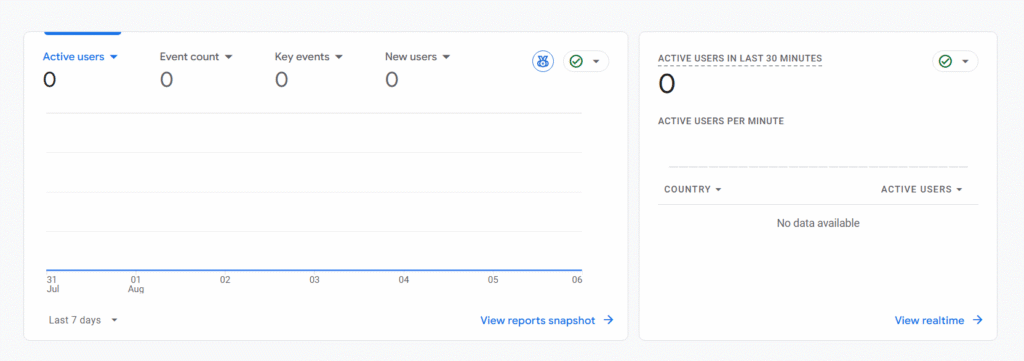
Google Analytics tracks who visits your site and what they do. Its event-based model lets you monitor actions like demo requests and signups, so you can connect SEO performance to actual conversions rather than just traffic volume.
If you’re running paid and unpaid channels simultaneously, you can’t tell which works best without proper tracking. GA4 shows you how specific pages perform, where users drop off, and how long they stay engaged.
You can also set conversion goals and assign UTM tracking tags to see where leads come from. That’s the kind of data investors and internal stakeholders ask for.
Google Keyword Planner
If you’re just getting started with SEO (or trying to stretch a budget), Google Keyword Planner is a no-brainer. It’s technically part of Google Ads, but you don’t need to run paid campaigns to use it. And since it pulls data straight from Google, it reflects real searches.
It shows you keyword ideas, including how often terms are searched, how competitive they are, and what advertisers pay to bid on them (which shows buyer intent).
For example, you can quickly check whether “small business financing” gets more searches than “startup loans” and plan your content around it.
However, don’t expect exact numbers, as GKP only gives you broad search volume ranges.
Answer the Public
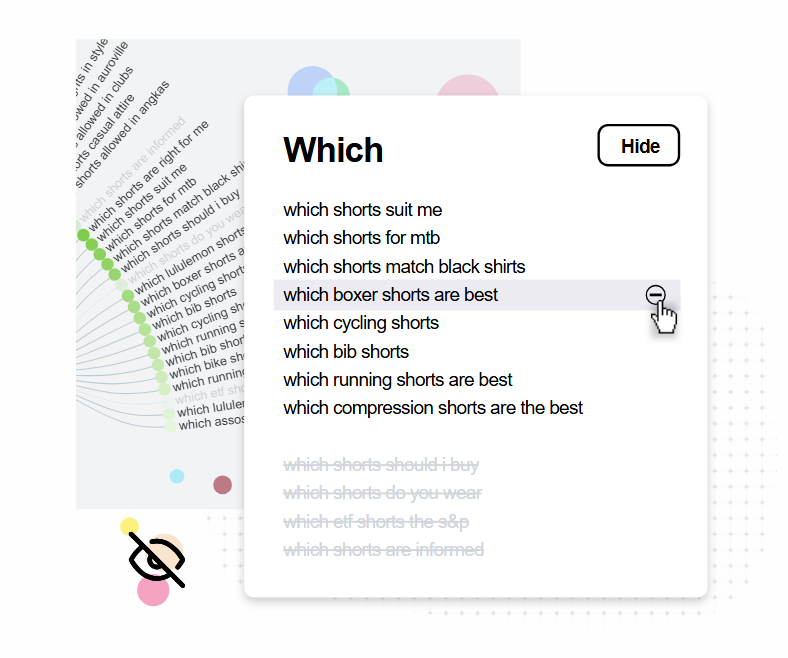
AnswerThePublic shows you what questions people are asking, not just keywords and their search volume.
Type in “business credit card” and you’ll get a map of related questions like “what business credit card is best for startups” or “how to qualify for a business credit card with no revenue.”
It’s a useful starting point if you want your content to address what customers are confused or worried about, rather than what you think they should care about.
Plus, it’s fun to use. People sometimes ask surprising things, and they are a gold mine for content ideas.
Semrush
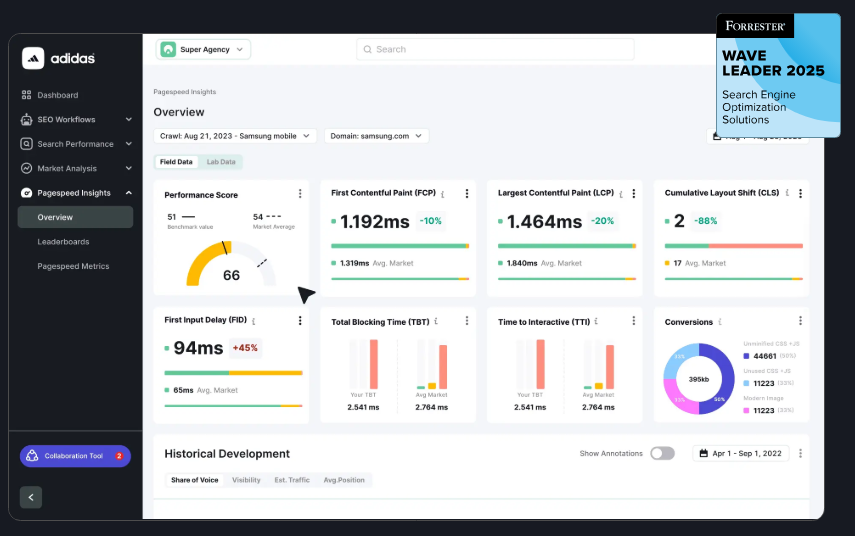
Semrush is one of the most comprehensive SEO tools out there, covering competitor, keyword, backlink, and technical data in one place.
You can see which keywords your competitors rank for, what ads they’re running, where their backlinks come from, and which content drives their traffic. That tells you what’s already working in the industry, so you can build your strategy around it.
It also gives you technical SEO insights, such as crawl errors and broken links, most of which are easy to fix once you know they exist.
Ubersuggest
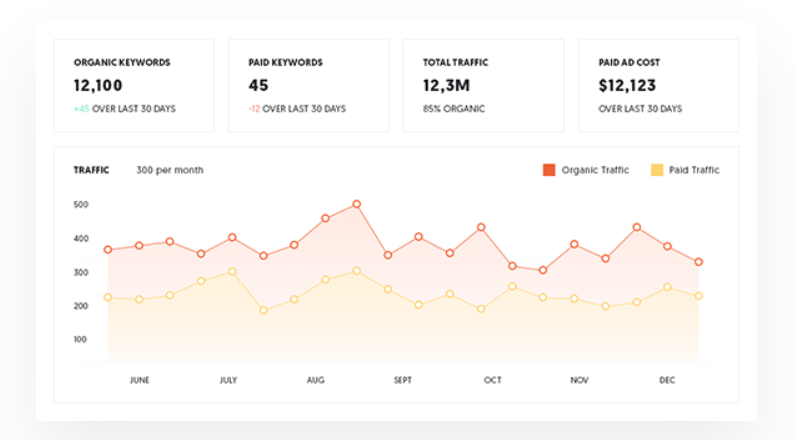
Ubersuggest is perfect if you’re on a budget. It covers all the most important basics, such as keyword research, SEO audits, backlink tracking, and competitor data.
You won’t get as many bells and whistles as with Semrush or Ahrefs, but it’s easier to use and cheaper. For fintech brands in the early to mid-growth stage, that’s often enough.
The SEO Analyzer flags issues by severity so you know what to tackle first, which is helpful if SEO isn’t your area of expertise and you’re unsure how to interpret data.
Keywords Everywhere
Keywords Everywhere is a browser extension that overlays data like search volume, cost-per-click, and competition directly on Google, YouTube, and other platforms you search.
The trending keywords panel shows 12-month search volume trends and flags terms with a recent uptick, so you can spot a rising topic before it gets competitive.
It’s lightweight and handy when you need to validate SEO ideas on the fly.
Long Tail Pro
Long Tail Pro is built for brands that want to rank for specific, high-intent queries.
These are the searches fintech customers type when they’re ready to convert, such as “best high-yield savings account for freelancers” or “where to refinance a commercial mortgage.”
Instead of chasing broad, competitive keywords, you can find specific queries with lower competition. Long Tail Pro also gives you a keyword competitiveness score so you know what you can realistically rank for.
Screaming Frog SEO Spider
Screaming Frog is a diagnostics tool that crawls your site the way Googlebot does, so it shows you exactly what search engines see (or don’t see).
Fintech sites tend to be complex, with calculators, blog content, and numerous service pages. Screaming Frog makes sure none of it is broken, misconfigured, or invisible to search engines.
Screaming Frog will tell you if internal links are pointing to old URLs, meta descriptions are duplicated across pages, or important pages are buried too deep in your site structure.
Google Search Console
Google Search Console (GSC) is a free tool from Google that shows you how your site performs in search and whether your pages are properly indexed.
It tells you about crawl errors that prevent Google from seeing your content, like a JavaScript calculator that isn’t rendering correctly. You can also use the URL inspection tool to check individual pages, submit sitemaps, and spot queries that get impressions but no clicks, which usually means the title tag or meta description needs updating.
Applying SEO Tools to Your Fintech Strategy
You can’t manage what you can’t measure, but these SEO tools give you a clear picture of your SEO standing and what to focus on next.
That said, getting the most out of SEO tools takes time and expertise your team may not have. Partnering with an agency that specializes in fintech SEO lets your team focus on other priorities while your rankings grow.
